OBD2 Car Scanner - EOBD Facile
Outils OBD FacileAuto & Vehicles
4.5294.00 Reviews
- Version
- 3.88.1187
- Installs
- 10.00M
- Age Rating
- Everyone
Screenshots
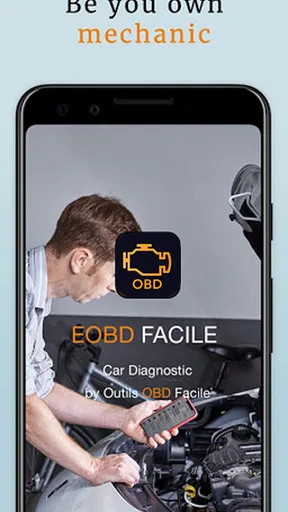
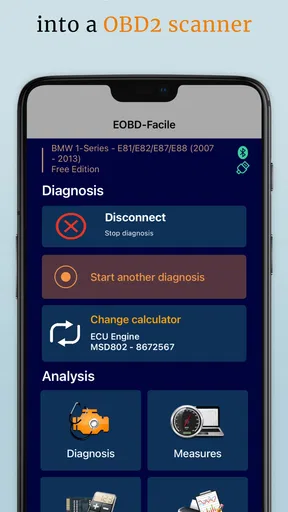
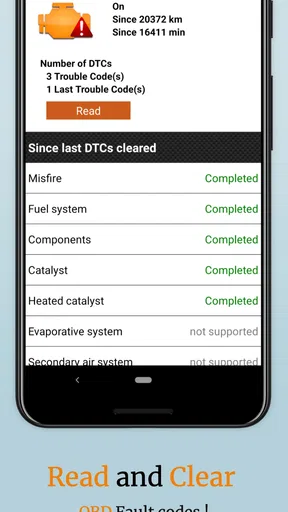
Our Review of OBD2 Car Scanner - EOBD Facile
 Analysis by Appyee
When a warning light appears on the dashboard, the hardest part is often deciding what to do next. I find an OBD2 reader useful not because it replaces a mechanic, but because it can give me a clearer starting point: a code to discuss, or a live reading to watch. EOBD Facile: OBD 2 Car Scanner is built for that kind of first look, pairing a phone with a compatible vehicle adapter so you can explore what the car is reporting.
Trust starts with the adapter
This is an automotive diagnostic app from Outils OBD Facile, and its central job involves communication between your phone, an OBD2 adapter and your car. That means the adapter is part of the trust picture, not just a piece of setup hardware. I would buy one from a source I’m comfortable with, check that it is suitable for my phone and vehicle, and avoid assuming that every inexpensive adapter will behave identically.
The app is free to install, with in-app purchases listed at $21.99 to $43.99 per item. That gives you a chance to check whether the connection and basic experience suit your needs before deciding whether to spend more. I would make that decision only after confirming that the app can communicate with my particular car and after checking which functions are available without an upgrade.
What the app can—and cannot—tell you
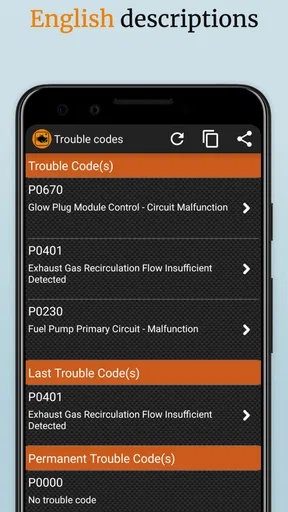
A trouble code is a clue, not a diagnosis. It can narrow down what the vehicle’s computer has detected, but it does not automatically identify the failed part or prove that a repair is needed. I’d use the explanation as a way to ask better questions, then weigh it alongside symptoms such as unusual noises, poor running or a warning light that returns. If the car feels unsafe or a warning indicates an urgent problem, I would not rely on a phone reading as a reason to keep driving.
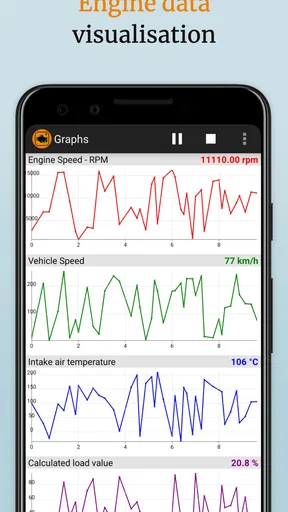
Live readings are most useful when I have a specific question. Watching coolant temperature during a normal drive, for example, is more informative than opening a dashboard and trying to interpret every number at once. I’d keep the phone secured and let a passenger handle the screen, or check readings while parked; interacting with diagnostics while driving is a poor trade for a little extra information.
Everyday use and user control
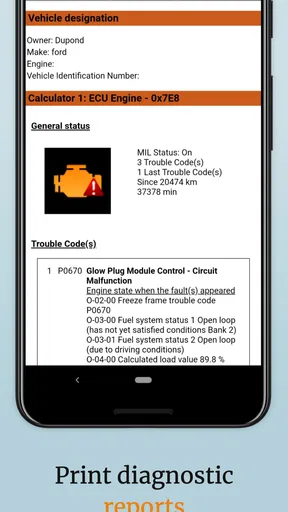
For a practical routine, I’d connect the adapter while parked, open the app, and note any codes before clearing anything. Keeping a record of the original code and the date gives me something concrete to compare if the light returns or I later visit a garage. Clearing a code can make the warning disappear temporarily, but it does not repair the underlying cause, and it can remove useful context from a mechanic’s troubleshooting process.
People often want to know whether they need an account or what permissions the app requests. I won’t guess at those details: they can depend on the current app version and phone platform, so I’d review the permission prompts on my own device and grant only what makes sense for the functions I intend to use. The same goes for data handling. Before connecting, I’d look at the app’s current privacy information and the phone’s available controls rather than treating any diagnostic app as automatically private or automatically risky.
Getting Under the Hood
First off, let’s talk about setting up the EOBD Facile: OBD 2 Car Scanner. It’s surprisingly user-friendly, which is a huge plus for someone like me who isn’t exactly a tech wizard. You’ll need an OBD2 Bluetooth adapter, which can be easily found online or at your local auto shop. Once you’ve got that, connecting the app to your car’s system is a breeze. Just plug in the adapter, sync it with your phone, and voila! You’re ready to diagnose your vehicle like a pro.
Features That Stand Out
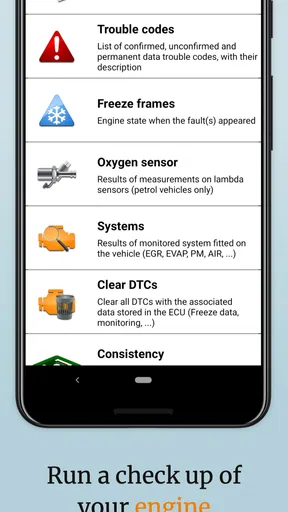
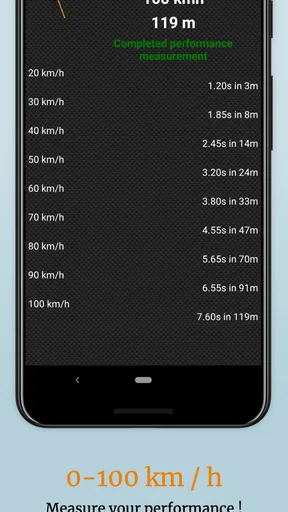
What really caught my attention is the range of features this app offers. From reading and clearing trouble codes to providing real-time data on your car’s performance, it’s like having a mechanic in your pocket. The app supports a wide array of vehicle makes and models, and it’s available on both Android and iOS, which is super convenient.
One feature I particularly love is the ability to monitor fuel consumption. It gives you insights into how efficiently your car is running, which can be a game-changer for those of us looking to save on gas. Plus, the app offers a neat little dashboard that displays information like engine speed, coolant temperature, and more, in real-time.
Making a scan useful in practice
A useful way to try the live dashboard is to choose one reading at a time and compare it with what the car is doing. If you are investigating a temperature concern, for instance, focus on coolant temperature rather than jumping between unrelated values. I would also take a quick note of the conditions—whether the engine was cold, warmed up, or idling—because a reading without context can be easy to misinterpret. This small habit turns a screen full of numbers into a more useful observation to share with a technician.
Fuel-consumption information can help with comparisons, but I would treat it as a guide rather than a laboratory measurement. Driving style, traffic, route and vehicle condition all affect what the car uses. For a fair comparison, look at similar journeys and conditions instead of judging efficiency from one short trip. That is especially helpful if you are checking whether a change in your routine seems to make a difference.
Why It’s Worth the Download
Now, you might be wondering, "Do I really need this app?" Well, if you’re someone who likes to stay ahead of car troubles and avoid costly repairs, then yes, absolutely! The peace of mind that comes with knowing exactly what’s going on under the hood is invaluable. And let’s be honest, being able to clear minor error codes without a trip to the mechanic is a win in my book.
The app also comes with a handy tutorial section, which helps you understand what those trouble codes actually mean. It's like learning a new language, but one that saves you money and headaches.
A sensible role beside a mechanic
Here is a realistic situation where I would reach for it: a check-engine light comes on before a weekend drive. I would park, connect the adapter, record the code, and read the explanation before deciding whether to call a repair shop or arrange a scan. If the car is running roughly, overheating, or showing another worrying symptom, I would treat that as more important than the app’s reassurance and seek professional help. If the car feels normal, the code can still help me describe the issue clearly when booking an inspection.
That is where this app compares well with the usual alternatives. A basic handheld reader may be simpler if all you want is a quick code check and you do not want to use a phone. A garage has the advantage of professional judgement and repair equipment, which an app cannot provide. EOBD Facile sits between those options: it can make routine checks more approachable and let me see live information, but it still depends on a compatible adapter, the vehicle’s available data, and my ability to interpret results sensibly.
Who should choose it—and who should not
I think it suits owners who like to understand their car, want to prepare for a conversation with a mechanic, or are comfortable checking a few readings themselves. It can also be handy for someone maintaining an older vehicle who wants a quick way to investigate a warning rather than immediately guessing at a repair. The app is rated for Everyone, and it has a 4.2 average from around 80,000 ratings, with over 5 million installs, so it is clearly used by a broad audience; those figures are context, not a promise that it will work equally well with every car and adapter.
I would skip it if you expect a phone to identify a broken component with certainty, if you do not want to buy or pair an adapter, or if you would rather have a technician handle every diagnostic step. It is also not the right substitute for urgent help when a vehicle is unsafe to drive. For someone who only wants occasional code reading, a simple reader may be less hassle; for someone who wants to learn what the car is reporting and keep a record of observations, the app offers a more involved route.
Room for Improvement
While EOBD Facile is packed with features, there are a couple of areas where it could improve. For instance, some users have noted that the app can occasionally be a bit slow to connect to the adapter. It’s not a deal-breaker, but something to be aware of. Additionally, the free version of the app is limited in functionality, so if you’re looking to unlock all features, you’ll need to consider the premium version.
Connection friction is worth thinking about before relying on the app in a hurry. I would test the adapter and phone pairing at home, while parked, rather than waiting until a warning appears at the roadside. If a connection fails, I would check that the adapter is seated properly, that the phone’s Bluetooth is available, and that I have selected the intended adapter in the app. A successful test in advance makes it easier to tell whether a later problem is with the vehicle or simply with the setup.
The other trade-off is that advanced use asks for patience. A code description can point toward a system, but vehicle faults often have more than one possible cause. I would resist buying parts based on a code alone, and I would not clear a warning just to make the dashboard look normal. Used carefully, the app can save time in understanding a problem; used as a shortcut to an unverified repair, it can lead to wasted money.
Version, compatibility, and the final choice
The current version is 3.83.1155, and the app runs on Android 5.0 or later. It is also available on iOS, so the choice is not limited to one mobile platform. The release history reaches back to May 8, 2012, which gives the product a long presence in this category, but compatibility still depends on the car and the specific adapter. Before paying for an adapter or an in-app purchase, I would check the current compatibility details and make sure the feature I want is included in the option I am considering.
EOBD Facile: OBD 2 Car Scanner is a worthwhile tool when I treat it as a window into the car’s diagnostic information, not as a replacement for expertise. It is free to try, offers useful code and live-data functions, and can make an unexpected warning less mysterious. Its limits are just as important: the adapter adds a setup step, readings need context, and a cleared code is not a repair. If that balance suits how you like to look after a vehicle, I’d give it a try; if you want certainty without interpreting anything yourself, a mechanic or straightforward handheld reader may be a better fit.
Ready to take control of your car’s health? You can download the app from the Play Store or the App Store and start your journey towards becoming your own mechanic today!
Verdict
Strengths of OBD2 Car Scanner - EOBD Facile
- Easy-to-use interface for beginners.
- Compatible with a wide range of vehicles.
- Real-time data monitoring available.
- Supports multiple languages.
- Regular updates enhance functionality.
Limitations of OBD2 Car Scanner - EOBD Facile
- Premium features require a paid upgrade.
- Some advanced tools can be complex.
- Limited support for older car models.
- Requires an OBD2 adapter to function.
- Interface lacks customization options.
Similar Picks in This Category
View All
Android Auto
Google LLC4.1

maxim — order a taxi & food
PT. SITO4.7

Штрафы ГИБДД: проверка с фото
Pays LLC – Штрафы ГИБДД4.7

Номерограм – проверка авто
Авто Ассист4.8

Дром Авто
Дром4.9

Frequently Asked Questions
What is EOBD Facile and how does it work?
EOBD Facile is an OBD2 car diagnostic tool that connects to your vehicle's onboard computer through an OBD2 adapter. It allows users to read and clear fault codes, monitor vehicle performance, and view real-time data. The app translates complex data into understandable information, making it easier for car owners to maintain their vehicles efficiently.
Is EOBD Facile compatible with my car model?
EOBD Facile is compatible with most vehicles equipped with an OBD2 port, typically found in cars manufactured after 1996. However, compatibility can vary based on the make and model of your vehicle. It’s recommended to check the app's compatibility list on the developer’s website or consult your vehicle’s manual for confirmation.
Do I need any additional hardware to use EOBD Facile?
Yes, to use EOBD Facile, you will need an OBD2 adapter. This adapter plugs into your car's OBD2 port and connects to your smartphone via Bluetooth or Wi-Fi. The app then communicates with the adapter to access your vehicle’s data. Make sure to use a compatible adapter for optimal performance.
Can EOBD Facile clear fault codes and reset the check engine light?
Yes, EOBD Facile allows you to clear fault codes and reset the check engine light. This feature can help address minor issues and prevent unnecessary trips to the mechanic. However, it is crucial to understand the underlying problem causing the error code before resetting to ensure your vehicle’s safety and performance.
Is the EOBD Facile app user-friendly for beginners?
EOBD Facile is designed with a user-friendly interface, making it accessible even for beginners. The app provides clear instructions and explanations of error codes, helping users understand and manage their vehicle’s diagnostics. Additionally, it offers support and guides to assist users in navigating the app effectively.
